
Windows Calculator2.23 - App Store
You'll be able to see results in few seconds.
Publisher Description



Test user
Login - Website
Password - Website
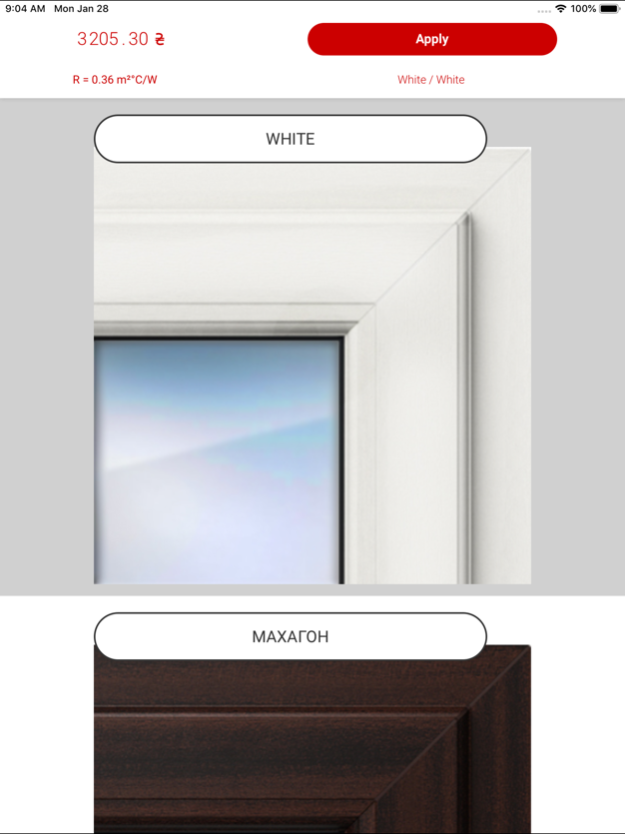
Windows Calculator is a software product for window design.
The software intended for increasing of sale efficiency.
An uniqueness and main difference of Windows Calculator are: - The comfortable
and intuitive measuring interface for computation, not required special
training;
- The voice command supporting during the editing;
- An U Factor (Heat Transfer Coefficient) displaying for designed
construction and required coefficient for current location;
- The geolocation using for automatic determination of location of the calculated order;
- The possibility in online and offline software working;
- The network is necessary only for database actualization and required order
sending;
- The instant price recalculation during of the dynamic changes;
- The fast changing of profile and hardware system in designed construction;
- The insulating glasses changing in construction with displaying of its
differences and advantages;
- All required tools are available for designing of any window
construction (sashes and imposts adding, color changing and others);
- The comfortable and visual menu for adding of any additional elements;
- The adding to the order of different types of installation and
delivery services;
- The possibility of use the credit service;
- The request of Installer right after completed calculation;
Windows Calculator works with using of the previously adjusted window producers
base. During the first authorization, the database is installed in the
software according to account.
Windows Calculator is supported by all iPad devices.
Feb 19, 2019
Version 2.23
Bug fix
About Windows Calculator
The company that develops Windows Calculator is Serhii Shynkarenko. The latest version released by its developer is 2.23.
To install Windows Calculator on your iOS device, just click the green Continue To App button above to start the installation process. The app is listed on our website since 2019-02-19 and was downloaded 0 times. We have already checked if the download link is safe, however for your own protection we recommend that you scan the downloaded app with your antivirus. Your antivirus may detect the Windows Calculator as malware if the download link is broken.
How to install Windows Calculator on your iOS device:
- Click on the Continue To App button on our website. This will redirect you to the App Store.
- Once the Windows Calculator is shown in the iTunes listing of your iOS device, you can start its download and installation. Tap on the GET button to the right of the app to start downloading it.
- If you are not logged-in the iOS appstore app, you'll be prompted for your your Apple ID and/or password.
- After Windows Calculator is downloaded, you'll see an INSTALL button to the right. Tap on it to start the actual installation of the iOS app.
- Once installation is finished you can tap on the OPEN button to start it. Its icon will also be added to your device home screen.
Program Details
System requirements
Download information
Pricing
Version History
version 2.23
posted on 2019-02-19
Feb 19, 2019 Version 2.23
Bug fix
version 2.3
posted on 2015-06-16
version 2.23
posted on 1970-01-01
19 de Fev de 2019 Version 2.23
Bug fix
Disclaimer
Official App Store Link
We do not host Windows Calculator on our servers. We did not scan it for viruses, adware, spyware or other type of malware. This app is hosted by Apple and passed their terms and conditions to be listed there. We recommend caution when installing it.
The App Store link for Windows Calculator is provided to you by apps112.com without any warranties, representations or guarantees of any kind, so access it at your own risk.
If you have questions regarding this particular app contact the publisher directly. For questions about the functionalities of apps112.com contact us.
